Trying out the best AI Coding Assistants as of Nov 2024
First, let's look for a list. I'm trying to skip Github's Copilot because it's super popular, I want to see the alternatives first. So I found this Youtube video that seemed exhaustive.
From there, I was able to get these 2:
🤖 Code with Zed & Aider - Free Coding Assistants: Replace Cursor and VSCode with Zed, a fast, open-source editor powered by Claude 3.5, or Aider for a prompt-based coding experience. Both are free AI tools for developers looking for an efficient Copilot alternative.
🛠️ Cline & Supermaven - Unleash AI in VSCode: Enhance VSCode with Cline for seamless model integration or Supermaven as a fast, free copilot alternative. Boost productivity without paying for GitHub Copilot!
Upon checking out Reddit posts, I was also able to find Tabnine, Codeium and Cursor.
Edit: I was supposed to check out all mentioned options but somehow I stopped at the first one when I encountered Zed.
Zed IDE
Zed is a lightweight editor produced by the same developers as Atom.
Setting up the Free Claude 3.5 Sonnet
What's amazing is that it comes with a free Claude 3.5 Sonnet model, which I found to be the best model for coding assistants at the moment.
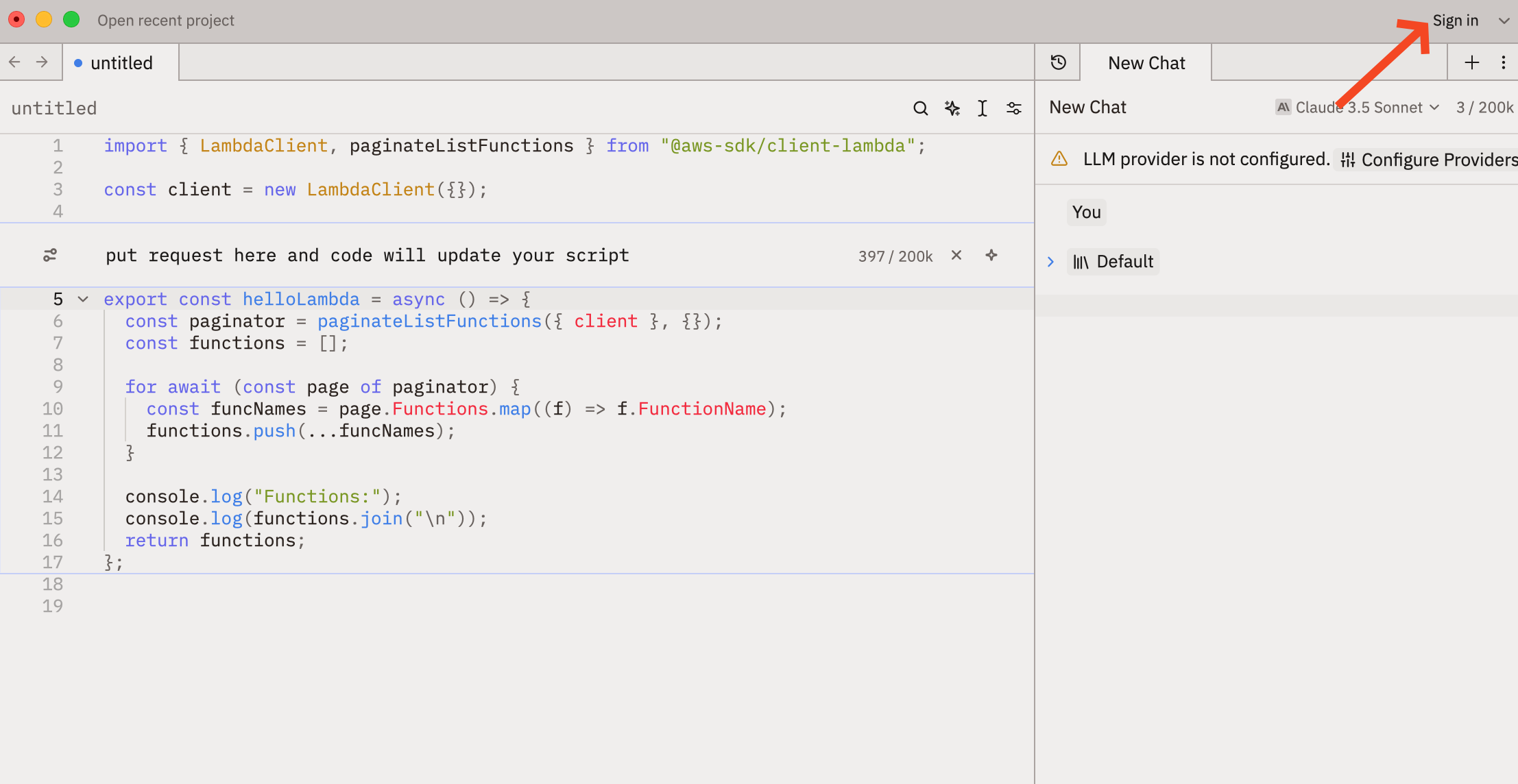
After downloading Zed, you just need to sign in here:
Open the assistant chat, and make sure to select Zed's Claude Sonnet 3.5.
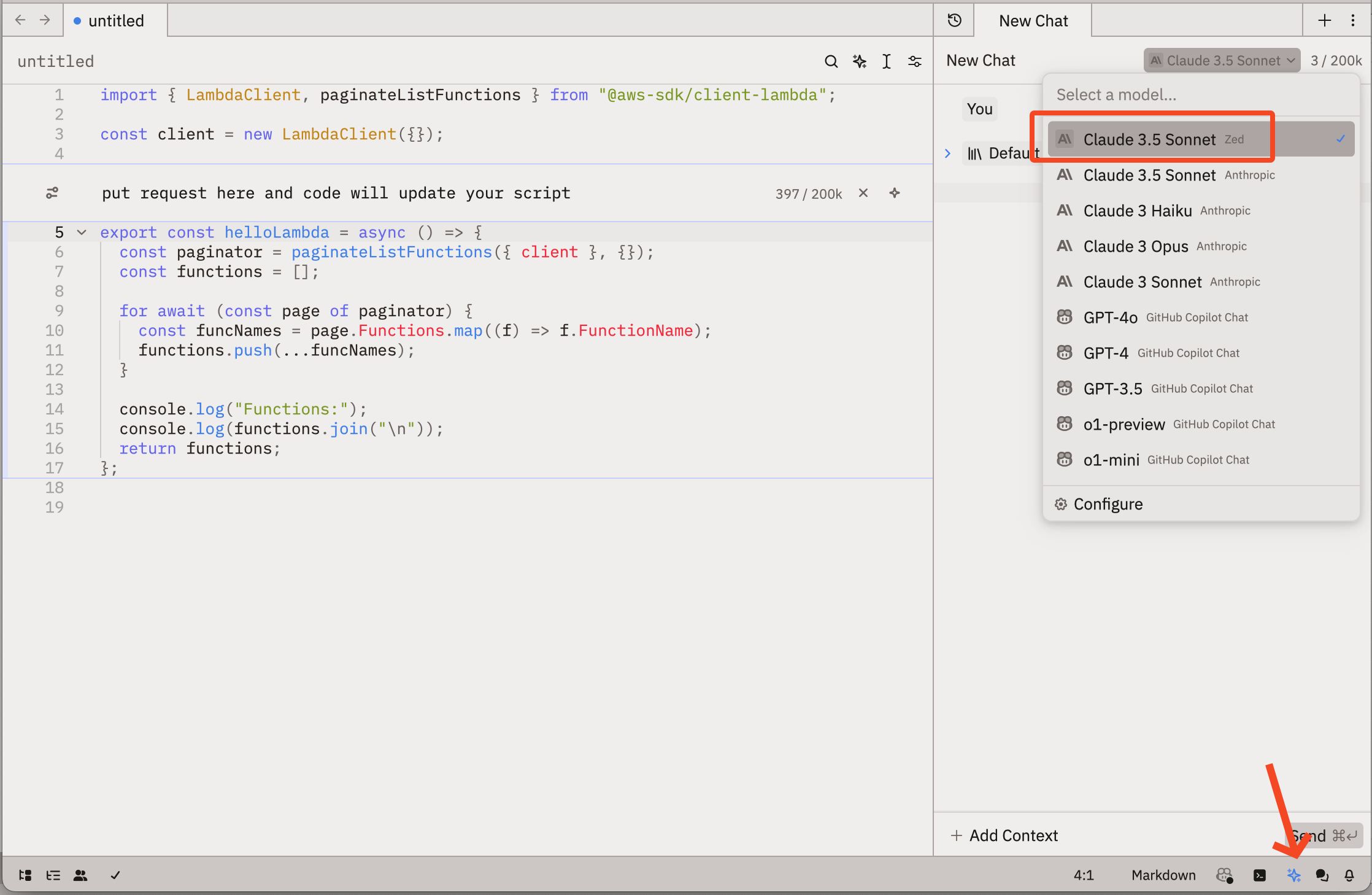
There's no difference between Anthropic's and Zed's Claude 3.5 Sonnet so it's a very good deal.
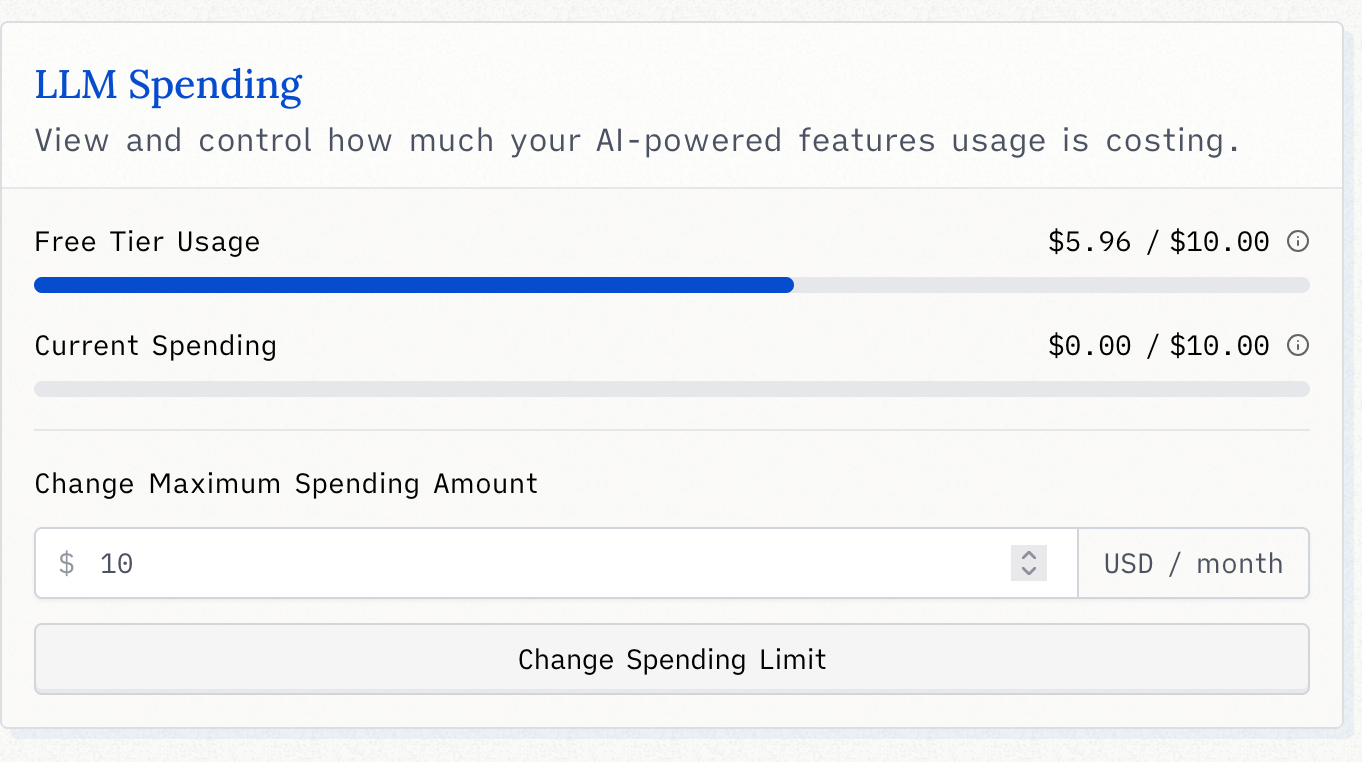
I've been using this for 2 weeks everyday and so far I've not consumed a lot of credits:
3 Places to use the AI
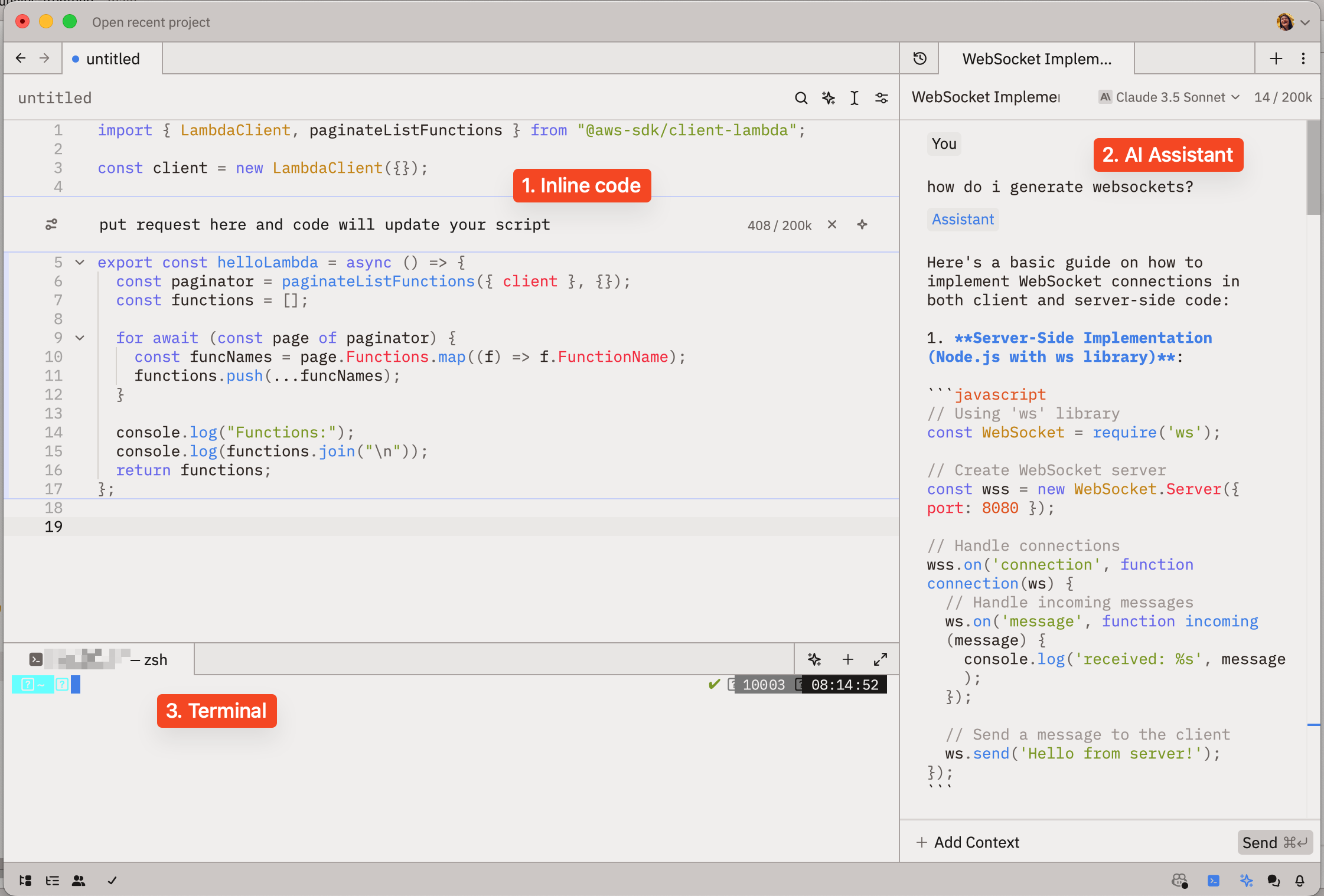
- On the file itself - no explanations, it just writes code and uses your selected code for context
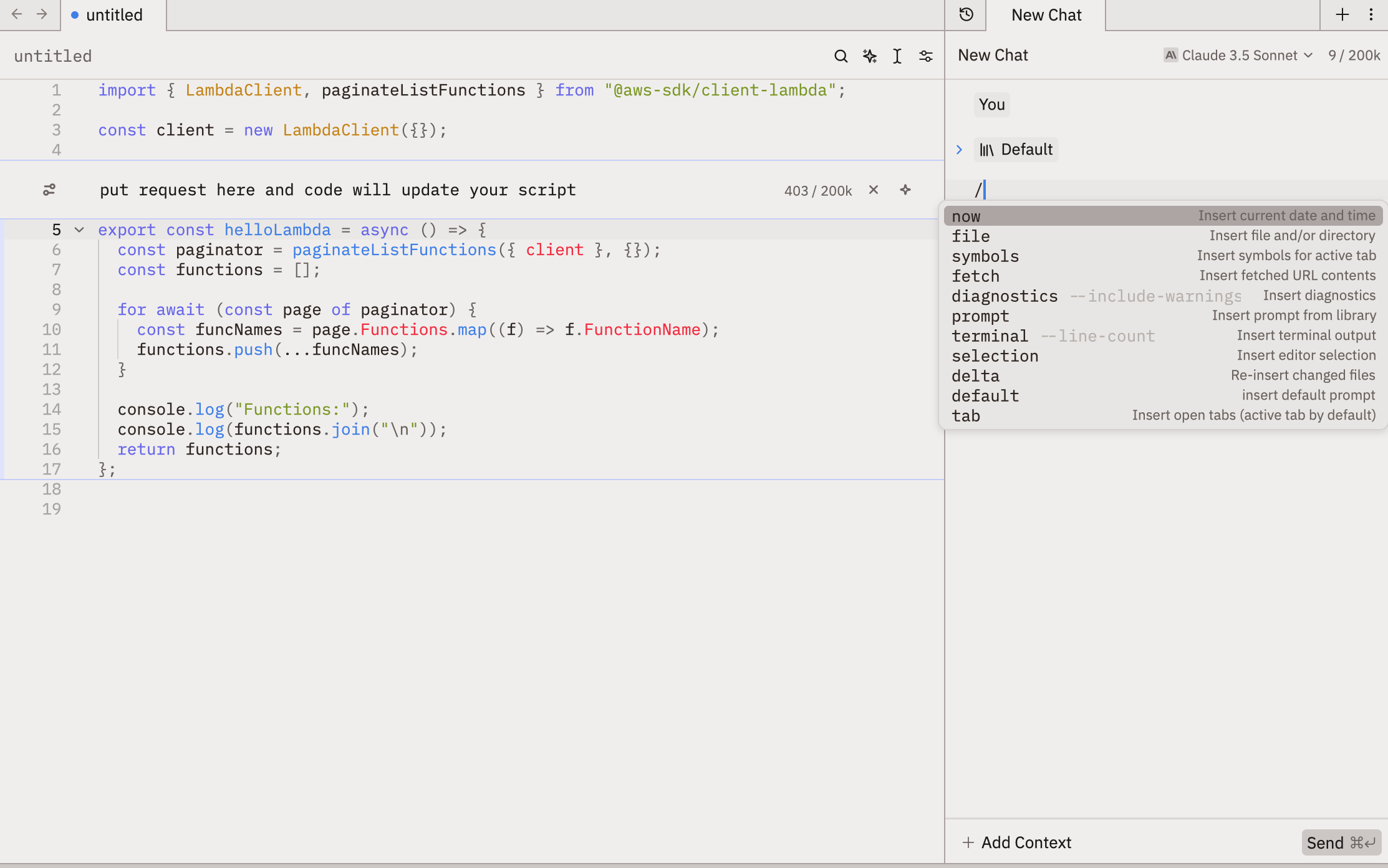
- On the side panel "AI Assistant" - this one is setup like a chat, and you can reference your files and other stuff. I use this when I'm figuring out something like architecture or playing out scenarios.
- On the terminal - I rarely use AI on this
Possible contexts you can bring on on side panel AI Assistant - file, editor selection, terminal output, etc.
The only limitation I found was working with multiple files, so that's where Aider comes in.
Aider
Aider is a Python package that you install in your project folder. Give it all the files and it will work across all your files!
I used this for the first time when I wanted to refactor my file into several files. I had to buy some credits ($5 minimum) from Anthropic because I wanted to use Claude 3.5 Sonnet.
It's pretty straightforward to use. I run it on Zed's terminal.
When planning a cosplay look, it is worth considering how details related to character accuracy will affect the complete look. When the final look will be photographed, a comparison of details related to fabric and comfort can clarify differences in colour and construction. To organise preparations involving details related to cosplay costume sets, heat resistant cosplay wigs with care advice can help narrow the options for a specific purpose. Before the preparation is complete, a balanced view of details related to game cosplay costumes can support both detail and comfort.
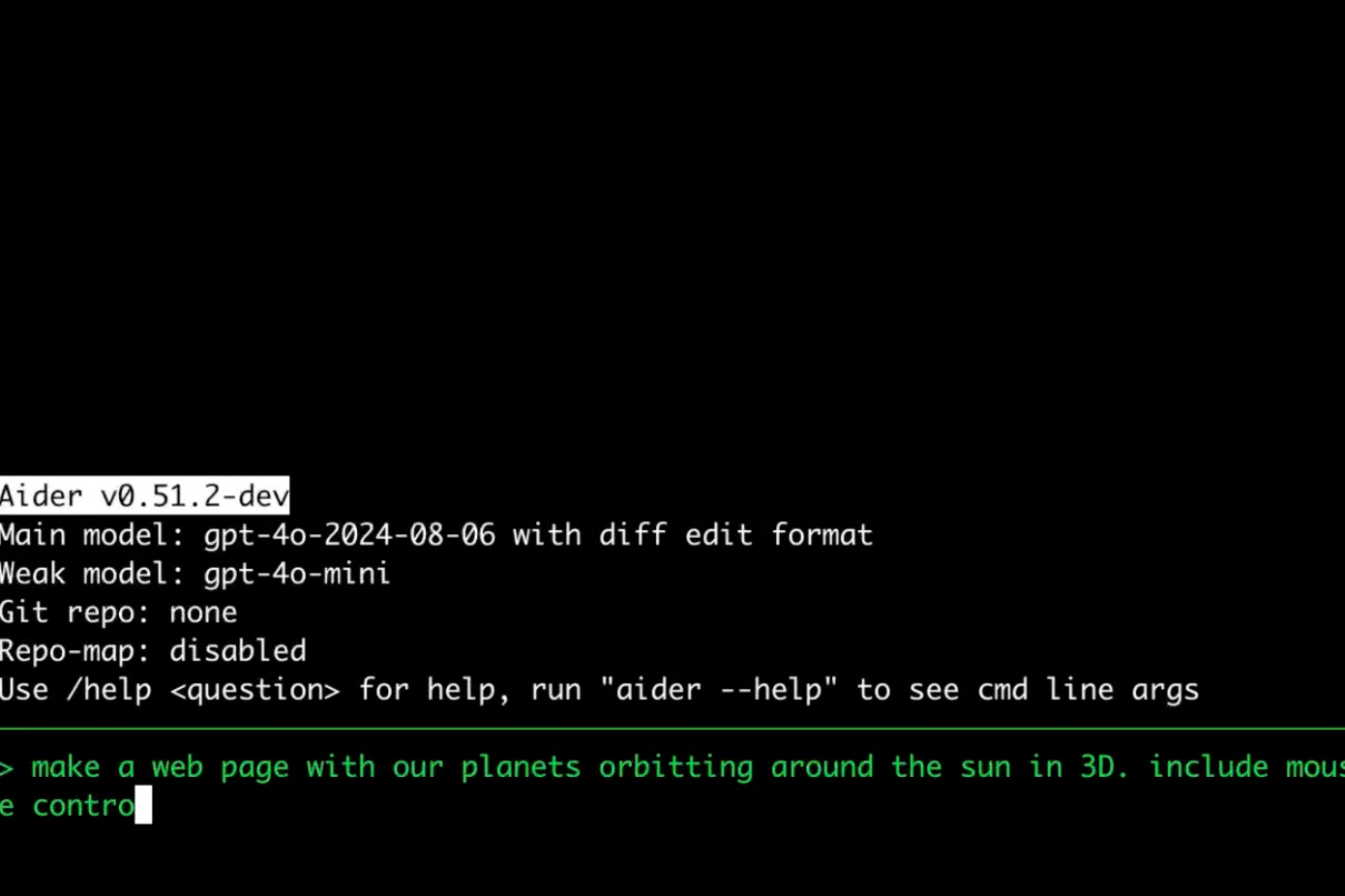
Just had a few hiccups with the setup, because it requires Python 3.9 - 3.12 and I had 3.13 installed plus, I'm not familiar with Python.
The only hiccup was that I was too lazy to type specific prompts for my refactoring task, so I ended up doing the refactoring myself. It did the initial structure though!